What Is EmilyUI and Why I Built It
A portable component system for places where build pipelines are awkward and consistency still matters.
A lot of frontend work still happens in places where modern tooling is awkward to use.
Not every project gets a clean Vite setup and full control over the pipeline. Some of it lives in Drupal. Some of it is static HTML in a CMS. Some of it is Liquid, Power Pages, legacy PHP, or whatever else is still hanging around. In those setups you cannot just drop in PostCSS, add a build step, and pretend the stack is sorted.
That’s why I built EmilyUI.
What it is
EmilyUI is a component system for awkward frontend environments. Semantic HTML and custom CSS. No framework required. No build step assumed.
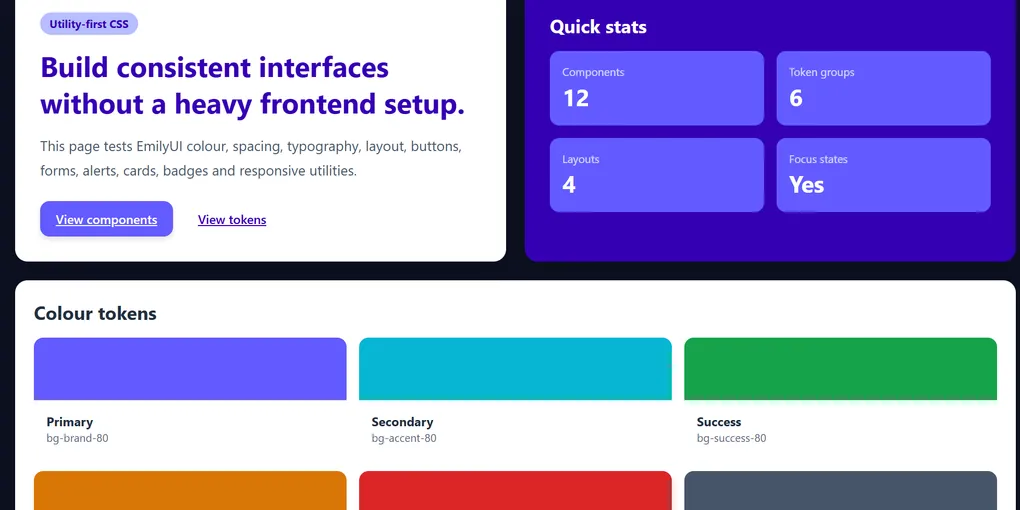
The CSS side is EmilyCSS. It is config‑driven, so you define the tokens once and stop repeating yourself across every project: colours, spacing, type scale, radius, focus styles. Set it once, then reuse it.
The win is simple: change a few variables in one config file and the whole visual system shifts with it. No digging through six stylesheets to change colours.
EmilyCSS is the foundation layer. EmilyUI is the component layer on top. Buttons, cards, form controls, layout patterns. All using the same tokens instead of each project inventing its own version.
Accessibility is part of the setup, not something tacked on at the end. Focus states you can see. Sensible contrast. ARIA where it helps, not copied everywhere by habit. The default version is meant to be the accessible one.
If you can serve a stylesheet and write HTML, you can probably use it. Drupal templates, Vue, Nuxt, static sites, CMS page builders. If it can load CSS, EmilyUI should sit on top of it.
Why I built it
I built it because I was tired of fixing the same problems in slightly different ways.
At work I deal with Drupal and static projects. Same organisation, same standards on paper, very different output. One project has one set of buttons. Another has a different spacing scale. Another has focus states that are half‑finished or missing. Cards, alerts, forms, layout spacing, all a bit different every time.
After a while, you’re just doing the same work again and again.
A Tailwind config was not going to fix that. In a clean greenfield setup, fine. In mixed stacks with old templates and awkward pipelines, it is harder to force everything through one tool. I needed something that could carry consistency across projects without assuming the whole stack had been rebuilt around a single build system.
EmilyUI is not about replacing utility classes. It is about not relying on a build pipeline being there.
So this started lower down.
EmilyCSS came first: shared custom properties, base styles, small patterns that do not care where the HTML came from. EmilyUI is the next layer: components built on those tokens that can move between projects without falling apart.
The name is from my daughter, Emily. Nothing clever behind it.
What it is for
It is for teams working in constrained environments who still want a reasonable standard of frontend.
Sometimes you inherit a CMS, a set of templates, and a lot of history. You still have deadlines. You still need consistency. You still need accessibility. You still need components that do not break the second you move them into another project.
That is the use case.
What it is not
It is not a Tailwind replacement. It is not Bootstrap with a new name. It is not trying to be a huge library with hundreds of variations and a docs site full of edge cases.
Tailwind is great when you own the stack and can shape the pipeline around it. EmilyUI is for the places where you do not get that.
It is a practical way to get solid, repeatable components into stacks you would not choose from scratch.
Where it is at
Right now it is still moving. The thinking behind it comes from real council project work, but EmilyUI itself is still being shaped and tested.
I will write more about how it works as it settles down. That will include the token setup, the component structure, and how to use it in different environments without fighting the stack.
For now, the useful bit is simple: a lot of frontend work still happens in messy environments, and those environments still need accessible, consistent components.
A few practical questions
Do I need to rebuild my frontend to use this?
No.
The whole point is that you can layer it into existing projects gradually. Start with tokens, spacing, colours, or a couple of components. You do not need to throw everything away and start again.
Does this only work with modern frameworks?
No.
Most of the thinking behind it came from setups that are not especially modern. Drupal templates, CMS output, static HTML, mixed frontend stacks. If you can load a stylesheet, you can probably use parts of it.
Is this replacing all my CSS?
Probably not.
Most projects already have years of CSS attached to them. EmilyUI is more useful as a way to introduce consistency gradually than pretending you are going to rewrite everything in one go.
How hard is this to add to an existing project?
Not hard, as long as you start small.
You drop in the stylesheet, point a few templates at the tokens and basic components, and see how it behaves. The idea is to swap in shared pieces over time, not flip the whole thing in one release.
Can I adopt it gradually?
Yes. That is the intended use.
Pick one or two areas, like buttons, forms, or spacing, and move those onto EmilyUI first. If that works, roll out more components. If it does not, you can back it out without having tied the whole stack to it.
So what problem does this actually remove?
Repeating the same fixes in slightly different ways across projects.
Shared spacing. Shared colours. Shared component patterns. One place to update the visual system instead of fixing the same frontend problems over and over again.
Is this finished?
No.
Some parts are solid already. Some parts are still being shaped by real project work. The aim is to build it out from actual problems, not ship 200 components into a docs site and pretend they all matter.